
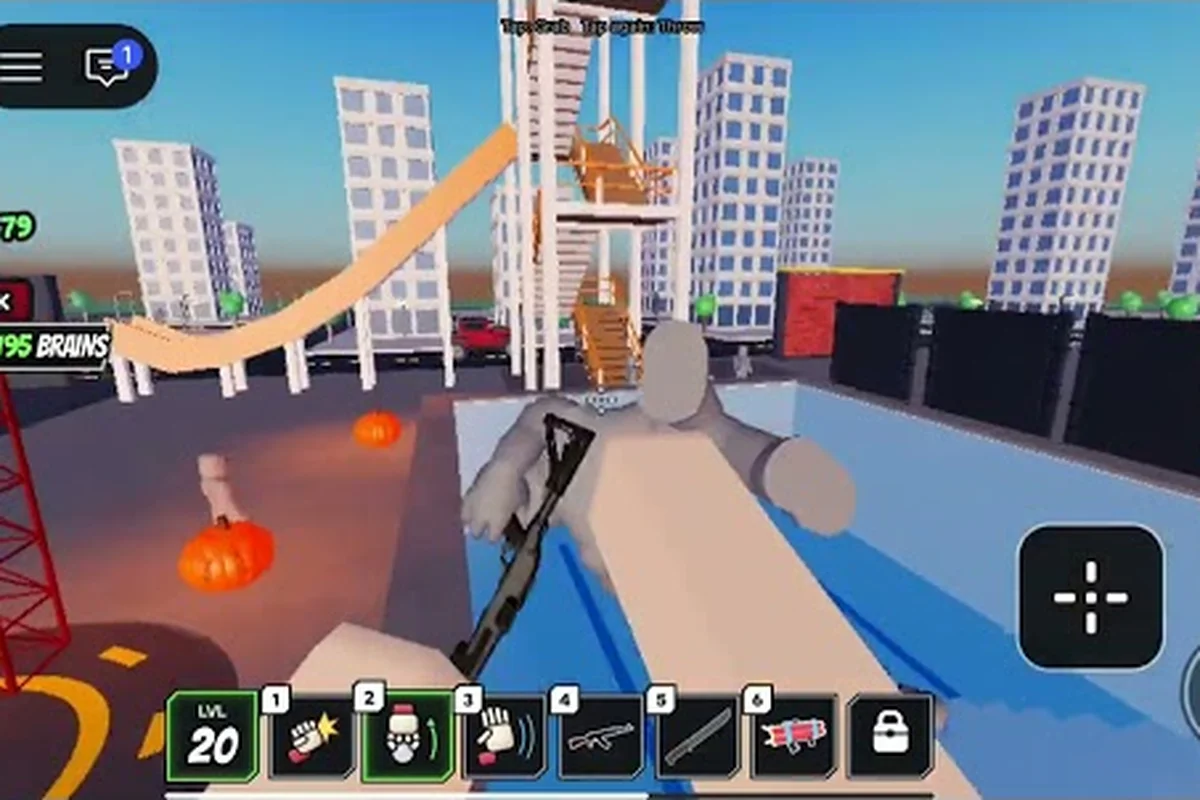
Ragdoll Reality rip dummy limbs depends less on a single input than on how momentum and contact are chained together. The game’s physics-based ragdoll system reacts to the exact point of impact, so a grab, push, throw, or targeted punch can produce a different dismemberment result. For example, striking an already moving dummy with a follow-up hit can transfer more momentum than a stationary punch, while pulling or pushing changes the body’s orientation before the next collision and may expose a different joint or limb. This makes positioning and follow-up timing important when trying to rip dummy limbs, throw a dummy, or turn a grab into a targeted dismemberment.
How Rip Dummy Limbs Mechanics Work
The official Ragdoll Reality game page presents dummies as physical targets rather than enemies with a conventional health bar. Their arms, legs, and other body parts react independently to impact location. A leg strike can make the dummy limp, while an arm strike can leave that arm hanging and prompt the dummy to clutch the injury. These location-based reactions are the foundation of every ragdoll reality rip dummy limbs attempt.
There is no published list of exact durability values, damage thresholds, or limb toughness levels. Instead, the game emphasizes visible consequences: dummies may stagger, stand back up, flee, fight, bleed, and lose limbs. Because no universal one-hit solution is documented, success depends on reading the current animation, positioning the target, and choosing the right physical interaction.
| Interaction | Main use | Best setup | Important limitation |
|---|---|---|---|
| Grab | Reposition or carry a dummy | Approach from a stable angle | A pause may let the target recover |
| Push | Displace a stunned or staggered dummy | Contact near the upper body | Weak positioning can reduce momentum |
| Throw | Send a body toward a hard surface or obstacle | Build distance before release | The exact force curve is unpublished |
| Punch | Target a specific limb at close range | Align with the arm or leg | Recovery can interrupt the sequence |
Location-based damage is the central mechanic, while physical momentum determines how effectively a target is moved. For example, a punch aimed at an arm from a stable close angle can cause a visible arm reaction, whereas a push near the upper body can create enough momentum to stagger the dummy before a throw sends it toward an obstacle. This interaction between limb targeting and body displacement is why a ragdoll reality dismember dummy attempt is not just a simple combo or button-mashing exercise.
Separate Movement From Impact
Before attempting a ragdoll reality dismember dummy sequence, identify whether the dummy is already staggered, recovering, or actively resisting. The official description confirms that dummies can rise after falling, move away, and fight back. Consequently, a body that looked perfectly aligned before a grab may rotate while held, and a clean punch may miss if the target shifts its weight.
The safest practical sequence begins with a non-damaging interaction. Push the dummy into open space, follow its movement, and then choose a limb-specific target. A grab can also provide control, but the player must account for the possibility that the dummy twists or attempts to escape. Since recovery timers and invulnerability windows are not published, judging the visible animation is more reliable than assuming a fixed delay.
Stagger window refers to the short period in which a dummy’s movement is visibly interrupted. Recovery posture describes the body lifting, turning, or preparing to move again. For example, after a push into open space, watch the dummy’s limbs settle and its torso regain balance before attempting a ragdoll reality rip dummy limbs action. Distinguishing these states is more useful than memorizing an unsupported number, especially when the dummy can twist during a grab, rise after falling, or counter with a punch.
Use Contact Location as the Target
Each body part offers a distinct interaction target. Arms are easier to isolate when the dummy is standing or leaning with its elbows away from the torso. Legs become clearer targets when the dummy is crawling, kneeling, or recovering from a fall. A punch into the torso is more likely to produce a broad stagger than a clean separation.
The most effective ragdoll reality punch dummy attempt therefore starts with framing rather than raw force. Move around the target until the chosen limb is unobstructed, then strike across that limb rather than into the space between the body and the camera. This angle also helps players see the resulting reaction, which may include bleeding, a hanging limb, or a change in the dummy’s movement.
| Target zone | Likely visual result | Practical use | Risk |
|---|---|---|---|
| Arm | Hanging arm or clutching reaction | Limiting attacks and steering | The dummy may pull the arm inward |
| Leg | Limp, crawl, or loss of balance | Preventing recovery | A moving leg can redirect impact |
| Head or neck | Strong stagger and bleeding | Opening a follow-up sequence | Precise angle is harder to obtain |
| Torso | Broad knockback | Repositioning the body | Less targeted for separation |
These are expected reaction patterns rather than guaranteed damage rules. The official page does not publish hidden limb-health values, so players should verify each result through visible behavior: an arm that hangs after a contact-zone punch suggests separation, while a clutching or inward-pull reaction indicates the limb remains attached. Likewise, a limp leg after a kick can signal a joint or bone effect, but a crawl or loss of balance may reflect only ragdoll physics. Treat bleeding, altered movement, and hanging limbs as feedback from the dismember dummy system, not fixed damage thresholds, and recheck the dummy’s state after each grab, throw, push, or punch.
Best Grab Dummy and Throw Dummy Setup
A successful ragdoll reality grab dummy maneuver is valuable because it lets the player create distance, align the body, and prepare a throw. A successful ragdoll reality throw dummy maneuver then turns that control into concentrated momentum. Neither interaction has a published strength number, grab duration, release range, or force curve, so consistency comes from repeatable positioning rather than hidden statistics.
Stage the Grab Before the Throw
Approach while the dummy is moving toward a clear landing area. Secure the grab, rotate the camera to view both the target and the intended direction, and then release while the body is aligned with the obstacle. A throw from a sharp angle produces less predictable travel because momentum is split between the launch and the sudden change in orientation.
Keep obstacles away from bystanders and use open sections of the map. The official game page emphasizes physical reactions but does not publish a safety system or collision behavior. A straight route across clear ground is easier to read, and it gives the player a clearer view of whether the dummy rotates before impact.
Straight-line setup aligns the ragdoll before release, while cross-body release adds rotation and makes the landing less predictable. For limb removal, the straighter option is usually easier to evaluate because the impact point stays visible; for example, aligning the dummy’s torso with a low obstacle can expose the exact contact area, whereas a cross-body throw may send the shoulders and hips into the obstruction at different angles, making the resulting dismemberment harder to read.
Compare Throwing Targets
| Target position | What it demonstrates | Why it is useful | What remains uncertain |
|---|---|---|---|
| Flat open ground | Basic body momentum | Tests throw distance and rotation | Exact travel distance is unpublished |
| Wall | Concentrated collision | Can expose a limb during impact | Wall damage rules are not listed |
| Elevated edge | Directional drop | Tests how the body folds in flight | Fall behavior varies by setup |
| Narrow path | Precision targeting | Rewards careful release angle | Poor angles can cause a miss |
| Graveyard area | Conversion interaction | Enables the Halloween zombie path | The exact conversion trigger is not published |
The official page notes that dummies can be thrown into the graveyard, where they become zombies. It also identifies three zombie speed classes—slow, normal, and fast—and says these enemies chase, pounce, and bite. This makes the graveyard a strategic destination rather than a random landing zone.
For a broader breakdown of enemy behavior, the Ragdoll Reality dummy types and reactions guide explains how different targets change the practical challenge. In a grab, punch, or throw test, a wall dummy concentrates collisions and may expose a limb, while a narrow-path setup demands a precise release angle. Elevated dummies are better for checking directional drops and body folding, and open-ground dummies provide the clearest comparison for throw distance and rotation. The same guide can also clarify how each Ragdoll Reality target reacts before you commit to a rip, dismember, or dismembering attempt.
Build Momentum Instead of Chaining Randomly
A throw works best when the player creates a clear line before committing. Pushing the target away can provide breathing room, but pushing too close to an obstacle may leave no room to accelerate. Likewise, repeated grabbing can waste the timing advantage if the dummy is already upright and ready to move.
Use a three-part rhythm: align, commit, and observe. Align the grab with the desired direction, commit to the release without changing direction late, and observe whether the body turns before impact. The final observation is crucial because the next move should respond to the actual landing, not an imagined one.
Targeted Punch Dummy Sequences
A close-range punch is most effective when it complements physical movement rather than replaces it. The first action can expose the target, while the second establishes the target area. For example, a push may create enough displacement to expose an arm, and a punch can then land on that arm before the dummy regains balance.
The official page confirms that impacts register at the point where they land, which supports a setup-and-finish approach. The setup does not need to cause the final injury; it only needs to expose a limb and keep the dummy still long enough for a precise follow-up. This is more controllable than a random flurry at close range.
Three Reliable Action Patterns
| Pattern | Setup action | Finishing action | Best situation |
|---|---|---|---|
| Exposed arm | Push toward one side | Punch across the arm | The target is already staggered |
| Crawling leg | Knock the dummy down | Aim at the raised or trailing leg | The body is low to the ground |
| Cornered target | Push toward a wall | Punch the exposed limb | The obstacle limits lateral movement |
| Recovery interrupt | Wait for the dummy to rise | Strike as posture opens | The previous knockback was not enough |
Avoid treating a long punch sequence as a guaranteed combo. Dummies can recover, flee, or counterattack, and no published invulnerability window tells the player exactly how many actions are safe. After every major impact, reassess the body’s orientation. If the target rolls, rises, or turns away, pause or reset rather than committing to a stale angle.
Use Feedback From the Impact
The animation is the best available indicator because engine-level details are not published. A clutching motion around an arm suggests the area has been compromised. A crawling or limping response suggests that a leg has taken a severe hit. A body that immediately resumes normal movement may not have received the same localized result.
This makes ragdoll reality dismember dummy attempts more about reading conditions than repeating a fixed button sequence. Localized clutching, impaired locomotion, and delayed recovery each suggest a different next action. If the dummy stands normally, regain distance and create another opening instead of assuming the previous hit counted fully.
For a focused look at lower-body injuries, the Ragdoll Reality target-zone breakdown explains how visible reactions can reveal where a hit landed. An uneven step can point to a compromised knee or hip, while a sudden collapse without an arm-clutching animation may indicate a destabilizing leg hit. Because exact hit zones are not exposed numerically, treat this as diagnostic feedback rather than a guaranteed trigger for ragdoll reality rip dummy limbs; follow with a ragdoll reality grab dummy or ragdoll reality throw dummy attempt only when the target’s balance visibly breaks.
Push Dummy Positioning Guide
The push is often the least dramatic interaction, but it is one of the best tools for controlling a ragdoll reality dismember dummy attempt. Because it displaces the body without requiring a weapon swing, it can separate a target from cover, send it toward a chosen surface, or open one side of the body for a targeted strike.
Choose a Purpose Before You Push
Do not push randomly and then decide what to do. A push can serve four functions: create space, alter facing, begin a throw, or expose a limb. Each function requires a different target position. If the goal is a throw, the push should preserve a straight landing lane. If the goal is a punch, it should move the torso away from the selected arm or leg.
| Push goal | Target the body near | Desired result | Follow-up |
|---|---|---|---|
| Create space | Upper torso | Dummy moves away cleanly | Reposition and grab |
| Begin a throw | Central torso | Body remains aligned | Grab and release downrange |
| Expose a limb | Side of the torso | Selected arm becomes visible | Punch the isolated limb |
| Control a fall | Shoulder area | Body tips in the intended direction | Follow the lower body |
Because the game does not publish a guaranteed push distance, the relevant test is visual rather than numeric. Watch how far the body travels, whether it keeps facing the player, and whether it regains its footing before the next action. A small displacement can be more useful than a large one because it preserves control.
Account for Recovery and Counterattack
A pushed dummy may try to recover immediately or move away. If it remains low, continue with a limb-specific strike. If it stands and squares up, withdraw before committing to a close punch. This prevents the target from turning an intended setup into a counterattack.
A solid pushing strategy is to push, pause for the visible reaction, and then select the next action based on what remains exposed. The Ragdoll Reality knock-out dummy tactics provide more detail on turning stagger states into reliable finishing opportunities.
Advanced Dismember Dummy Workflows
Advanced play is less about finding a single hidden technique and more about combining the confirmed interactions in a logical order. The official page confirms five relevant actions—grab, push, throw, punch, and recovery behavior—but does not advertise a formal combo tree. A dependable workflow is therefore constructed from cause and effect.
Open-Space Workflow
This sequence works best in an open area, where the dummy’s full ragdoll physics can develop after a push, grab, or throw without nearby geometry interrupting the motion. Keep the first interaction low-risk: a sideways push can reveal whether the dummy is still animated or already entering a limp ragdoll state, while a thrown body needs enough clearance to rotate and expose its limbs for a precise punch. Since exact stun timing is not published, short observation pauses help distinguish a temporary stagger from a fully uncontrollable body.
-
Push the target sideways to interrupt its normal path.
-
Observe whether it falls, stumbles, or turns toward the player.
-
Punch an exposed limb if the body remains within reach.
-
Grab only when the target is stable and a throw lane is clear.
-
Throw toward the selected obstacle and watch the first point of impact.
-
Punch the relevant limb if the landing exposes a clean target.
Because Ragdoll Reality does not publish fixed stun or recovery values, use brief observation pauses between the push, grab, throw, and limb punch instead of treating every animation as an immediate-action window. For example, after a throw, wait until the dummy’s body settles enough to expose an arm or leg before attempting a precise punch; moving in immediately can cause the grab or throw to land while the ragdoll is still rotating, reducing accuracy and allowing the dummy to recover. A short pause also helps distinguish a temporary stagger from a fully uncontrollable body.
Cornered Workflow
A wall or fence can reduce the number of directions a target can move, but it can also conceal a limb. Approach at a slight angle and push toward the obstacle only when the torso is centered. After impact, inspect the space between the body and wall. If the arm is pinned visibly, a controlled punch may be the cleanest follow-up; if the body has turned, reset the camera and circle around.
Graveyard Conversion Sequence
The Halloween update adds a special objective. According to the official page, a dummy thrown into the graveyard becomes a zombie, while a bitten dummy can become infected. The same update introduces a Horde button for wave-survival mode and three zombie speed classes: slow, normal, and fast.
| Graveyard objective | Best physical step | Why it matters | Unknown detail |
|---|---|---|---|
| Create a zombie | Throw a dummy into the graveyard | Uses the confirmed conversion path | Exact trigger radius is unpublished |
| Infect a dummy | Expose it to a zombie bite | Supports the infection mechanic | Bite damage and timing are unpublished |
| Survive Horde | Prepare for mixed enemy waves | Tests positioning against multiple classes | Wave counts are not published |
Do not assume every zombie behaves identically. Slow, normal, and fast classes indicate different movement roles, so the safest approach is to keep distance, use open ground, and attack only when the target’s path becomes predictable. The Ragdoll Reality blood, infection, and dismemberment overview explains the visual cues connected to wounds and infection.
Common Mistakes in Rip Dummy Limbs Attempts
Most failed ragdoll reality rip dummy limbs attempts come from poor timing, a cramped camera angle, or expecting a fixed outcome that the game does not promise. The official page confirms the outcome categories but not the hidden numbers, so unsupported assumptions waste time. In practice, a successful ragdoll reality grab dummy or throw dummy depends more on controlling the initial contact and momentum than on aiming for a guaranteed dismemberment. If the ragdoll reality push dummy or punch dummy interaction begins off-center, the body may tumble, rebound, or collapse without matching the intended result. Treat the visible outcome categories as the reliable guidance, and treat exact force, timing windows, or limb-separation conditions as uncertain rather than inventing a rigid rule.
Mistakes and Better Responses
| Common mistake | Why it reduces success | Better response |
|---|---|---|
| Punching a standing dummy randomly | The torso may absorb the impact | Expose a limb before striking |
| Grabbing without a destination | The dummy can twist or recover | Select the landing zone first |
| Throwing at a sharp angle | Body rotation reduces impact accuracy | Make a gradual turn before release |
| Pushing toward a wall with no plan | The target may land in an unusable position | Preserve a clear follow-up route |
| Assuming every hit removes a limb | No one-hit threshold is published | Read the visible reaction |
| Standing directly over the target | Counterattacks can interrupt the sequence | Maintain lateral space |
The biggest error is treating reaction as a guarantee. A limp suggests severe leg damage, but it does not prove that the leg is about to detach. Likewise, clutching does not confirm separation. The best ragdoll reality rip dummy limbs strategy is iterative: position, strike, inspect, and adapt.
Frequently Asked Questions
Can you remove a dummy limb in one hit in Ragdoll Reality?
The official game page confirms that limbs can detach, but it does not publish a one-hit dismemberment threshold for every limb. Some attempts may separate a part immediately, while others require repeated positioning and impact. Treat limb damage as reactive: look for localized clutching, hanging, bleeding, or impaired movement before committing to the next strike.
What is the best way to dismember a dummy?
The most dependable approach combines a position-changing action with a targeted follow-up. Push or knock the target down to expose a limb, then use a punch or throw that lands cleanly on that area. There is no published universal combo, so watch the animation and avoid forcing a second action before the dummy recovers.
Does throwing a dummy work better than punching it?
Throwing can create more momentum and may be useful near a wall, elevated edge, or the graveyard. Punching gives finer control over the exact contact point. If your goal is a specific limb, a controlled punch is often easier to read; if your goal is the graveyard conversion, throwing is the confirmed route.
What happens after you throw a dummy into the graveyard?
The official description states that a dummy thrown into the graveyard becomes a zombie. These zombies can chase, pounce, and bite, and the game identifies slow, normal, and fast classes. A bitten dummy may also become infected, although exact bite damage, conversion conditions, and zombie health are not published.
Can a dummy get back up after being knocked down?
Yes. The official page says dummies can stagger, recover, get back up, fight back, and run away. This recovery behavior means a fall does not automatically create a long opening. Move around the target after it falls, identify the exposed body area, and strike only when the current animation gives you a clear line of impact.