
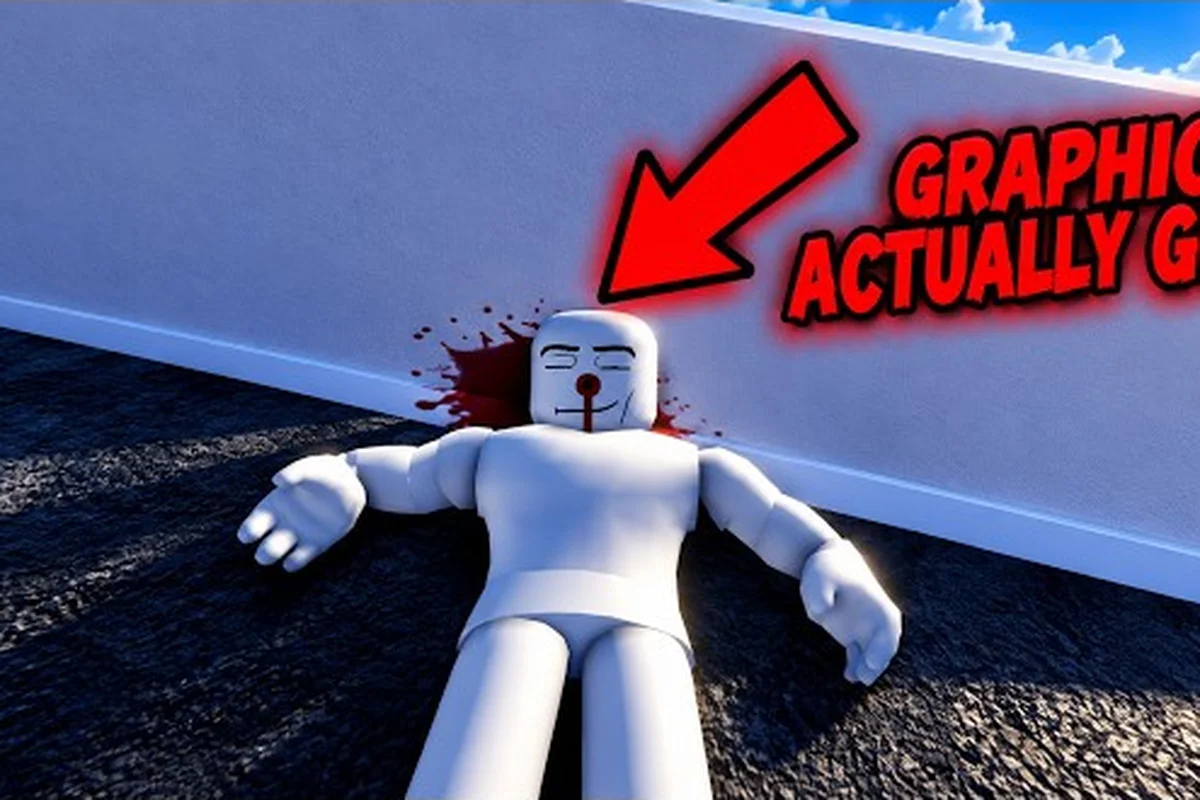
Ragdoll Reality rewards precise hits, unusual body reactions, and the patience to test one variable at a time. This ragdoll reality roblox guide explains how to play Ragdoll Reality, what beginners should notice, and how to turn a first session into useful practice.
Roblox Guide: Understanding the Core Sandbox
Ragdoll Reality is a physics sandbox where the location of a hit matters as much as the weapon that delivers it. According to the official Ragdoll Reality game page, a leg strike can leave a dummy limping or crawling, while an arm hit may make that arm hang and prompt the dummy to clutch the wound. Understanding these reactions is the foundation of the ragdoll reality roblox guide because a successful test is not measured only by damage; it is measured by the physical response you caused.
Dummies can also stagger, fight back, run away, and recover after falling. Limbs may detach, and wounds can bleed, so the sandbox is more interactive than a standard target range. A new player should approach it as a laboratory: select a dummy, choose one tool, change the aim, and record the result. That simple routine makes the ragdoll reality gameplay guide much more useful than repeatedly swinging without a clear purpose.
| First-session element | What to observe | Why it matters |
|---|---|---|
| Hit location | Arm, leg, torso, or head response | Placement can change the visible reaction |
| Dummy behavior | Stagger, retreat, fight, or recover | The target may react before falling |
| Weapon choice | Speed, reach, and impact style | Different tools offer different control |
| Body state | Standing, moving, falling, or damaged | Position affects the next hit |
| Recovery | Whether the dummy rises or stays down | Lets you test a second interaction safely |
Read the reaction before changing tools
A useful first test begins with a familiar weapon, because unfamiliar equipment can make aim and timing harder to isolate. Watch the instant of impact rather than judging only the final position. Does the dummy fold at the knee, clutch an arm, or begin retreating? Those details reveal whether the hit landed where you intended and give you a clear target for the next attempt.
The location-based reaction system is the defining mechanic to notice. A body strike and a leg strike may leave very different results even when the same tool causes them. This ragdoll reality roblox guide recommends writing a simple note after every test: weapon, aimed area, immediate reaction, and final state. Even a brief record helps you recognize patterns that a fast sequence of random strikes would hide.
Set Up a Consistent Trial Routine
Keep the first routine narrow so that each strike teaches you one lesson. Start with a stationary dummy, choose a familiar weapon, and aim at a different area without changing distance. Once you understand the reactions, repeat the same basic test while the dummy moves, falls, or is already injured. This is the most dependable approach to understanding how to play Ragdoll Reality because it separates the effect of aim from the effect of movement.
| Test stage | Setup | Main question |
|---|---|---|
| Placement test | Stationary dummy, one weapon | Where does the reaction begin? |
| Movement test | Walking or retreating dummy | Can the dummy escape the impact? |
| Fall test | Strike during a stumble or drop | Does the body tumble differently? |
| Follow-up test | Damaged or downed dummy | Can you reproduce the result? |
Beginner Guide: Dummies, Weapons, and Controls
The best beginner setup is simple: one dummy, one weapon, and enough room to observe the entire reaction. Begin with a controlled strike before trying a combination. Once you know where a tool connects, you can deliberately test arm hits, leg hits, and body impacts. This approach in the ragdoll reality beginner guide keeps the learning curve manageable and prevents a dramatic ragdoll from hiding the useful cause-and-effect result.
Weapon selection matters, but it should come after basic aim control. A fast tool is useful for repeated reactions, while a heavy or long-reaching tool can make placement more deliberate. You do not need to unlock every tool to understand the sandbox. Learn one weapon well, note its reach, then compare it with another already available. The Ragdoll Reality game guide can help with the broader order of activities in your first session.
| Learning priority | Beginner action | Result to look for |
|---|---|---|
| Aim control | Place several hits on one body area | Greater consistency before adding movement |
| Reach control | Stand at different distances | A clear limit for successful contact |
| Reaction recognition | Watch the dummy after impact | Recognition of stagger, limp, clutch, or retreat |
| Follow-through | Observe the body after the first hit | Understanding how momentum changes the fall |
| Tool comparison | Repeat a test with another weapon | Separating tool behavior from aim behavior |
Keep your early tests precise
A precise test produces a lesson that can be repeated. Face the intended body area, use a controlled swing or shot, and watch until the dummy reaches a stable state. If the result differs from the previous attempt, check one condition at a time: distance, stance, movement, or selected body area. The controlled variable is what turns an entertaining physics reaction into a reliable technique.
This ragdoll reality gameplay guide also works for players who have already tried the game. The mode has enough freedom that familiarity does not automatically produce control. A player may know every tool but still aim poorly, while a new player with a disciplined test routine can learn the mechanics quickly. If you are still establishing the opening steps, the Ragdoll Reality getting-started guide offers a focused first-session sequence.
Distinguish contact, reaction, and recovery
Three stages occur after a strike. Contact is the moment the tool reaches the body. Reaction is the immediate physical response, such as a limp, stagger, arm drop, or retreat. Recovery is what happens afterward, including standing again or remaining down. Recording all three provides much more useful information than noting only whether the dummy fell.
A move that produces a large tumble is not automatically the most useful move. A smaller reaction may be easier to cause, easier to repeat, and better for testing a follow-up strike. Keep tools that produce consistent reactions, even if their total impact is less dramatic. Consistency is the practical advantage you can build on during a first session.
Beginner Tips: Mastering Placement and Movement
Placement becomes easier when you separate the target into stable visual zones. Aim at the torso, arm, or leg rather than trying to “hit the whole dummy” at once. The body can move, bend, or collapse after impact, so a fixed mental picture of the target disappears quickly. A ragdoll reality beginner guide should therefore teach you to track the current position of the limb you want to affect.
The official page identifies slow, normal, and fast zombie classes for the Halloween graveyard feature, but that content comes later than the core dummy tests. A solid first session still begins with regular dummies because their movement and reactions let you isolate the physics. You can then apply the same placement awareness when a dummy is knocked into the graveyard and becomes a zombie.
| Beginner mistake | Why it reduces control | Better correction |
|---|---|---|
| Swinging at the torso every time | Limits observation of different reactions | Rotate through arm, leg, and body targets |
| Changing weapon and aim together | Makes the result difficult to explain | Hold the weapon steady before changing aim |
| Treating every tumble as failure | Discards useful reaction data | Record whether the intended effect occurred |
| Chasing a falling target | Reduces contact accuracy | Let the body settle, then re-aim |
| Ignoring follow-up opportunities | Wastes the most responsive state | Test what happens after a stagger |
Let movement create a new test
Controlled movement is the next step after static accuracy. Approach a dummy at a measured pace, strike from a consistent angle, and observe whether it retreats or continues toward you. Because a dummy can fight back, stop after one reaction and regain a safe distance before testing again. The goal is not to remain in danger; it is to learn how movement changes the available hit window.
A moving target often rewards shorter, more deliberate contact. Stop just before the reach of the dummy, identify the limb you want to affect, and complete the action. This approach supports the best ragdoll reality beginner tips because it improves timing without requiring a faster weapon. If your aim slips, move backward and reset instead of escalating the action.
Use the environment after learning the basics
The playground hazards and the 80-stud tower provide additional settings for testing once basic hits are consistent. The tower gives height a role, while hazards can interrupt a body’s balance in new ways. Do not treat either location as a mandatory test at the beginning. First establish a repeatable standing strike, then use elevation or hazards to see how they alter momentum, landing positions, and recovery.
The official game page also identifies a single-player format, with a listed maximum of one player and no VIP server option. That makes deliberate experimentation practical: there is no teammate role to manage, and every reaction belongs to your own test sequence. Use that solo structure to compare two weapons, repeat a body-area test, or complete a short personal challenge.
Gameplay Guide: A Structured First-Session Plan
A productive first session should progress from basic contact to controlled combinations. Do not jump straight to the graveyard, tower, or Horde mode. Start with a stationary dummy, verify the weapon’s reach, test each major body area, and only then add movement. This ragdoll reality gameplay guide turns the sandbox into a sequence with a clear beginning, middle, and end.
Use a short session plan with specific goals rather than an open-ended list of places to visit. The objective of the first round is accuracy. The second is reaction recognition. The third is controlled follow-up. The fourth introduces a new tool or environment. By the end, you should have a small set of repeatable techniques instead of a collection of random clips.
| Session phase | Time goal | Actions | Completion signal |
|---|---|---|---|
| Warm-up | 5 minutes | Select a dummy, equip one familiar tool, make several controlled hits | You can identify where each hit lands |
| Placement test | 10 minutes | Compare arm, leg, torso, and head reactions | You can describe the immediate response |
| Movement test | 10 minutes | Repeat the best placement while approaching or retreating | Your timing is more consistent |
| Weapon comparison | 10 minutes | Repeat a standard test with a second tool | You know which tool suits your style |
| Advanced setting | 10 minutes | Try the tower, hazards, or graveyard if available | You can apply the same principles safely |
Set three measurable goals
Choose goals that can be judged without relying on a damage meter. For example, land five consecutive arm reactions, cause three leg hits during a walking approach, or recover a successful stagger from the same distance. These session targets are small, concrete, and suitable for a beginner. They also teach you whether your improvement comes from better aim, better timing, or a weapon that simply fits your control level.
The wider Ragdoll Reality first-hour plan is useful when you want to review the foundation after experimenting. This article’s first-session plan is more focused: one practice block, one comparison block, and one advanced block. Avoid trying to unlock or exhaust every feature in a single sitting because unnecessary switching can hide small improvements.
Finish with a quick review
Spend the last few minutes repeating the most successful test without adding a new variable. If a precise arm strike creates a strong reaction, reproduce it at the same distance. If a leg hit causes a convincing limp during movement, test whether the result remains consistent. This reproducibility check tells you which skills are already reliable and which still need practice.
A useful session summary contains four lines: the weapon tested, the most reliable placement, the clearest reaction, and the next variable to change. It might read: “Long tool, leg strike, reliable limp, test while retreating.” Such notes are more valuable than a long list of places visited because they can be acted upon during the next session.
Advanced Roblox Guide: Graveyard, Zombies, and Horde Mode
The official game page describes a Halloween feature in which a dummy thrown into the graveyard becomes a zombie. It lists three movement classes—slow, normal, and fast—and says zombies can chase, pounce, and bite. A bitten dummy may become infected and capable of conversion, while the Horde button begins a wave-survival scenario. These details make the advanced portion of this ragdoll reality roblox guide worth trying after the basic mechanics feel familiar.
Because the official page does not publish zombie health, bite damage, or the number of enemies in each wave, treat those numbers as unknown. Do not build precise claims around damage values that are not available. The safe approach is to test distance, timing, and positioning. If one zombie type closes the gap more quickly, create more space. If a pounce interrupts your attack, change when you commit to a strike rather than assuming a specific cooldown exists.
| Advanced feature | Official information | Practical first objective |
|---|---|---|
| Graveyard conversion | A thrown dummy can become a zombie | Learn the conversion trigger before engaging |
| Speed classes | Slow, normal, and fast | Keep different classes separated during observation |
| Zombie actions | Chase, pounce, and bite | Watch the wind-up and choose safer spacing |
| Infection | A bitten dummy can become infected | Track where a bite lands and reacts |
| Horde mode | Button-activated wave survival | Test one wave before taking on a longer run |
Treat zombie speed as the main variable
The three published speed classes give you a useful framework, but not exact enemy statistics. Start with the slow class if the game lets you select one, observe its chase pattern, and note whether it attacks immediately or closes distance first. Then repeat the same test against a faster class. The speed-class comparison helps you separate movement pressure from the impact of your own weapon.
Your ragdoll reality gameplay guide should also account for the changed target behavior. A zombie that chases is no longer a stationary practice dummy, and a pounce can interrupt a planned limb strike. Create a safe test lane, begin with an arm or leg target, and retreat after the first reaction. The goal is to learn how the zombie’s movement changes your timing without turning the experiment into an uncontrolled encounter.
Learn the Horde loop one wave at a time
Horde mode changes the scale of the challenge, but rushing through it is not the same as understanding it. Begin at a manageable distance, watch how enemies approach, and preserve an escape route. A single-wave baseline gives you information about spacing and attack frequency that cannot be gathered while constantly handling several threats.
The official page does not specify wave size, health totals, or reward structure, so rely on what you observe during the run. Keep a tally of which enemy type reaches you first, whether the group spreads out, and which reaction creates the most space. Those observations are more durable than assumptions based on a missing damage chart.
Combine placement skills with survival decisions
The advanced content still relies on the fundamentals from your first session. A precise limb hit matters because a stagger or limp can create a small advantage, while a missed strike can consume time near a chaser. Use fast tools for mobile targets, reserve deliberate hits for openings, and retreat when enemies approach from multiple directions. The best result is not maximum aggression; it is a method that keeps your next strike available.
A broader Ragdoll Reality weapon showcase can help you compare available tools, but evaluate each one using the same test: consistent contact, visible placement effects, and enough recovery time for another action. The official data supports a sandbox with many possible interactions, yet reliable play comes from turning those interactions into a repeatable routine.
Frequently Asked Questions
What is the easiest way to start Ragdoll Reality?
Choose a dummy, equip one familiar weapon, and test the torso before moving to the arms and legs. Watch the immediate reaction after every contact. The official page indicates that hit location changes visible responses, so a slow, controlled first test teaches more than rushing through weapons or locations.
Does a limb hit always produce the same reaction in Ragdoll Reality?
No. A leg hit may cause a limp or crawl, and an arm hit may make the arm hang while the dummy clutches the wound, but movement, timing, and the current body state can alter the result. Repeat each test under similar conditions before drawing a firm conclusion.
Should beginners use every weapon during the first session?
No. Master one tool first, record its reach and typical reactions, and then compare it with a second weapon. Changing tools and aim at the same time makes it difficult to identify which factor produced the result. A controlled comparison is more useful than a quick tour of the entire roster.
Is Ragdoll Reality multiplayer?
The official Roblox page lists a maximum of one player and does not show a VIP server option. As of October 25, 2026, it is structured as a single-player sandbox. That makes focused testing convenient because you can repeat experiments without coordinating a team or managing a shared objective.
What should I try after learning the basic dummy reactions?
Move to the tower, playground hazards, or the Halloween layer featuring graveyard conversion, zombies, and Horde mode. Preserve the same testing method by changing only one variable at a time. The official page identifies slow, normal, and fast zombie classes, but it does not publish exact health, bite damage, or wave counts, so record those values through direct observation.