
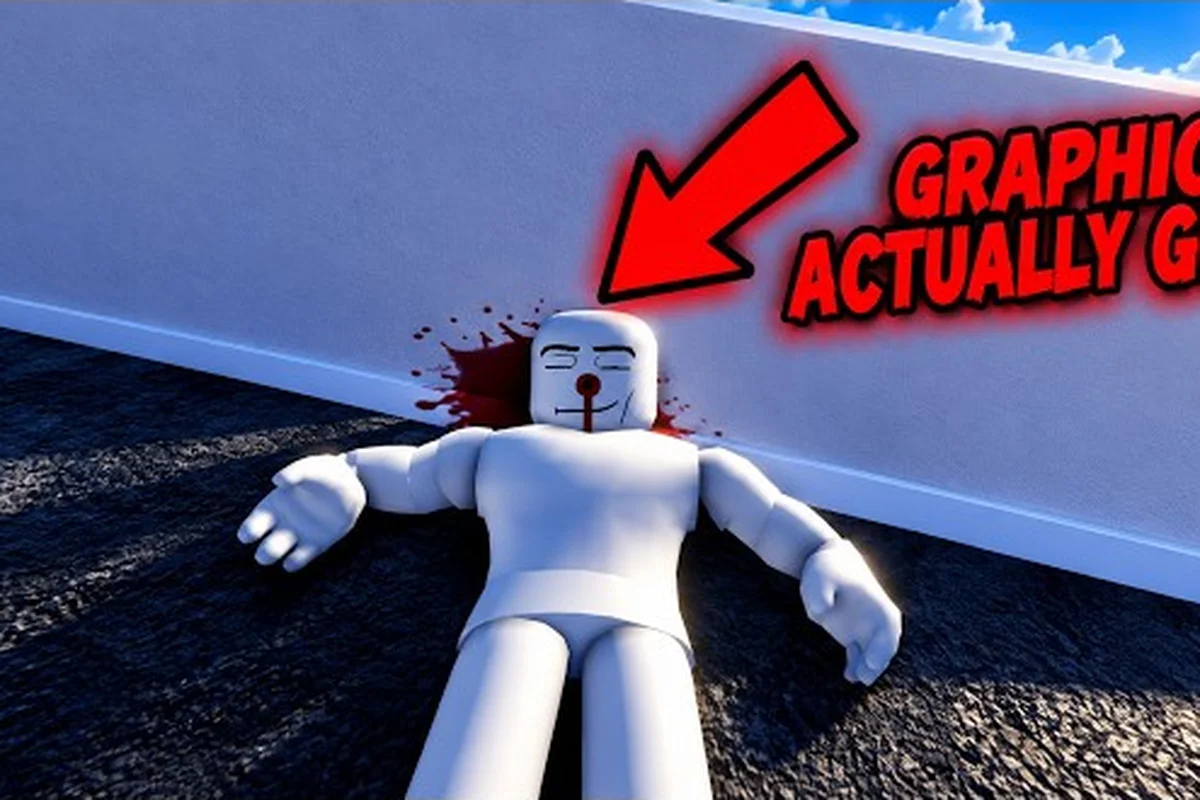
Ragdoll Reality rewards deliberate testing: every impact changes how a dummy moves, and every new area introduces another variable. This game guide shows beginners where to begin, how to practice, and what to test first for a stronger first session.
Game Guide: Your First Session Plan
A useful Ragdoll Reality first session begins with a dummy, a basic weapon, and a repeatable testing method. The official game page describes location-based reactions: leg impacts can make a dummy limp or crawl, while arm impacts can make that arm hang and cause the dummy to clutch an injury. Learning to recognize those responses gives you a practical foundation before you explore weapons, hazards, and zombies.
The official Ragdoll Reality game page lists a single-player experience, so your progress does not depend on teammates. It also presents the central loop clearly: select a dummy, aim at a specific body area, observe the reaction, and repeat with a different weapon, angle, or distance.
Recommended opening sequence
Use this order during your first ten minutes: start with a low-risk dummy in the main testing area, record its initial posture, then introduce one controlled change at a time. For example, test an unprotected leg before changing weapons or distance, since a limp or loss of balance gives you a baseline reaction. Switching the target to the torso immediately afterward helps confirm whether the ragdoll response comes from the impact itself rather than the dummy’s starting position. Keeping the weapon, range, and body area stable for each trial makes small differences in stagger, limb collapse, and recovery easier to compare.
-
Spawn into the main testing area and select a dummy.
-
Strike an unprotected leg, then repeat the same impact on the opposite leg.
-
Test an arm, the torso, and the head separately.
-
Change weapons while keeping your target area constant.
-
Increase distance in small increments.
-
Compare standing and moving impacts.
-
Visit a playground hazard only after you can consistently identify the dummy’s reaction.
This sequence makes cause and effect easy to isolate. For example, if the dummy staggers after a torso hit at close range but not at medium range, you can identify distance as the deciding variable without confusing it with a weapon swap or a different impact point. After each trial, reset the dummy’s posture and repeat the same hit with the same weapon before making another change, so limp, collapse, and recovery patterns remain comparable.
| First test | Target | What to observe | Why it matters |
|---|---|---|---|
| Baseline | Leg | Limp, crawl, or loss of balance | Establishes lower-body reactions |
| Control | Torso | Stagger or backward movement | Shows a clear comparison target |
| Precision | Arm | Hanging arm or wound-clutching | Tests accurate placement |
| Distance | Same body area | Reaction at close and medium range | Reveals range-dependent control |
| Weapon swap | Same body area | Speed and severity differences | Prevents tool choice from masking aim |
For a longer first-hour schedule, the Ragdoll Reality first-hour plan can help you turn this opening test into a structured session. The key is to compare like with like, because a new weapon and a new body target can produce very different-looking results.
First Steps: Understand Hit Locations
Position-based damage is the foundation of the game. According to the official page, a leg hit can leave a dummy limping or crawling, an arm hit can leave the arm hanging, and the dummy may clutch the wound. Dummies can also stagger, retaliate, retreat and rise again, lose limbs, and bleed, so a successful first session teaches you to read an entire reaction rather than checking only whether the target fell.
Read the reaction, not just the fall
A fall is one possible outcome, but it does not explain the impact. Before each test, predict what should happen, then observe the result. If you expected the right leg to react and instead saw the torso stagger, review your crosshair placement and the moment of impact. This is more useful than simply swinging faster because it gives you a feedback loop for correcting errors.
| Targeted area | Common reaction described officially | Beginner observation |
|---|---|---|
| Leg | Limping or crawling | Watch the leg’s movement after the hit |
| Arm | Arm hangs, target clutches wound | Check whether the target protects that side |
| Torso | Stagger or fall | Use it as a baseline for heavier impact |
| Head | Strong bodily reaction | Avoid mixing head and body tests |
| Detached limb | Bleeding and loss of attachment | Stop attacking to observe the result |
The official page also identifies dummies that can resist a hit. If yours steps away, raises its arms, or changes direction, pause your attack and reset rather than continuing a chaotic string of swings. A controlled second attempt is usually more informative than ten poorly aimed ones.
Keep your baseline consistent
Choose one dummy, one weapon, and a familiar distance. Record the target area, impact type, and the dummy’s first reaction. You can use a simple written list or repeat the sequence aloud, but the important part is keeping the variables stable. This beginner walkthrough stage is about establishing reliable control before you unlock complicated tests.
Community experience also supports a deliberate approach: players who explain their target, weapon, and distance tend to improve faster than those who make random swings. That observation is practical rather than a guaranteed rule, since every update may change weapon behavior or movement.
What to Do First: Test Weapons Systematically
Once you understand the location system, compare tools without changing your target. That reveals which weapon is easiest to control, which creates the fastest stagger, and which needs more precise positioning. The official page says the first session can involve testing named weapons already owned, but it does not publish a universal damage ranking, so personal testing remains essential.
Start with the tool that feels easiest to swing. Make three intentional strikes at the same leg, then three at the torso. Next, repeat both sets after changing weapons. If a slower weapon produces a cleaner reaction, speed alone is not improving your accuracy.
| Test variable | Keep unchanged | Change | Question answered |
|---|---|---|---|
| Weapon | Target and distance | Tool | Which tool is easiest to control? |
| Target area | Tool and distance | Body area | Which reactions can I reproduce? |
| Distance | Tool and target | Range | Where does placement become difficult? |
| Swing speed | Tool and target | Pace | Does rushing reduce accuracy? |
| Movement | Tool and target | Standing or moving | Can I aim while repositioning? |
A compact weapon overview is available in the Ragdoll Reality weapon showcase, but treat it as a reference rather than a substitute for practice. Weapons also behave differently in the hands, and the official page does not provide enough published data to rank them by exact damage.
Build a four-tool test
If several weapons are available, test four representative choices rather than every option immediately. Include one familiar tool, one fast tool, one heavy tool, and one ranged option. For each, use the same target and distance, and rate the result from one to five based on control, consistency, and visible reaction.
| Rating category | What to score | Practical question |
|---|---|---|
| Control | How easily can I place the impact? | Can I hit the intended area twice in a row? |
| Consistency | Does the result remain similar? | Does the third hit match the first? |
| Recovery | How soon can I reset? | Am I ready for another target? |
| Reaction clarity | Can I identify what happened? | Do I know which hit caused the result? |
The Ragdoll Reality weapon damage comparison can help organize this test by impact style. Keep notes on your own results, because community testing is more useful when it identifies the exact weapon, target, and distance instead of labeling a tool simply strong or weak.
Beginner Practice Drills for Better Control
Accurate targeting comes from repeatable movement. A beginner who understands how to place a hit can improve faster than one who only tries different weapons. Use drills that isolate a single skill, then add one variable at a time until the exercise resembles normal play.
Controlled target cycle
A controlled target cycle follows a deliberate order. First, aim at the left leg and make one clean swing. Next, move to the right leg and repeat the action. Then, target the left arm before finishing with the torso. After completing the full cycle, increase the distance by a small amount. Finally, repeat the same cycle without changing weapons.
This cycle trains body awareness without requiring a complicated routine. Aim for consistency rather than damage totals: ten clean repetitions are more useful for a new player than one dramatic hit followed by several missed swings. Treat every target change as a controlled micro-drill, resetting your position and aim before starting the next strike. For example, if the left-leg sequence produces a miss, repeat that segment instead of advancing, since a short correction cycle preserves accuracy better than forcing completion. This controlled target cycle is about repeatable mechanics, not maximizing damage totals.
Speed-control ladder
Use three stages of swing speed as a progression rather than jumping straight to maximum pace. Start with the deliberate rhythm needed to place three intended targets, then add moderate movement while completing two clean cycles, and only afterward test fast swings under pressure. If Stage 3 produces poorer placement than Stage 1, your speed threshold is too high; slow the animation and rebuild accuracy before retrying.
| Stage | Swing rhythm | Goal | Passing condition |
|---|---|---|---|
| Stage 1 | Deliberate and slow | Place the hit accurately | Three intended targets hit |
| Stage 2 | Moderate and consistent | Preserve control while moving | Two clean cycles |
| Stage 3 | Fast but not frantic | Retain placement under pressure | Same target quality as Stage 1 |
Community reports frequently frame improvement as a balance between quickness and control. That is consistent with the game’s core interaction: a faster animation does not help if the target area changes with every swing. If accuracy collapses under pressure, return to Stage 1 rather than adding more speed.
Recovery drill
After every strike, pause long enough to re-establish your position and identify the target’s reaction. This recovery pause is particularly important against dummies that stagger, run, or get back up. Chasing immediately can turn a controlled experiment into a scramble.
For additional exercises, the Ragdoll Reality essential first-session steps complement this drill set well. In practical terms, a good session produces a clear progression: precise close-range hits first, consistent medium-range hits second, and moving or reactive targets only after the basic placement is reliable.
Moving From Dummies to Hazards and Zombies
Dummies provide a controlled laboratory, but the playground and Halloween content add forces, motion, and opposing behavior. The official page identifies a playground that includes a shredder, the wrecking ball, the spike pit, the human cannon, tower drop, and an 80-stud tower. It also says that a dummy thrown into the graveyard becomes a zombie.
| Area | Main variable | First objective | Common mistake |
|---|---|---|---|
| Dummy area | Impact placement | Hit a chosen body area | Changing too many variables |
| Playground | Physics and timing | Survive or complete the obstacle | Jumping in without observing timing |
| Tower | Height and impact | Test a controlled drop | Ignoring the setup area |
| Graveyard | Conversion | Place a dummy in the zone | Confusing it with a normal target |
| Horde | Multiple enemies | Defend against a wave | Focusing on one zombie only |
The official page identifies three zombie speed classes: slow, normal, and fast. It also states that zombies can chase, pounce, and bite. Exact health, bite damage, and wave population are not published, so do not treat community estimates as fixed values. Mark those figures as platform- or version-dependent when comparing notes.
Enter the graveyard in stages
First, watch the conversion area without attacking. Second, throw or place a dummy in the marked zone. Third, identify the resulting zombie’s movement speed. Fourth, test whether changing the dummy’s starting position affects the transition. This sequence makes the graveyard predictable before you introduce the Horde button.
Treat the Horde as a spacing test
During wave survival, move between engagements instead of remaining in one crowded spot. Slow zombies can be separated from fast ones, while pounce behavior requires you to watch the space immediately ahead. The official page does not publish the wave count or enemy density, so your best source of truth is direct observation.
Do not skip the basics because the action becomes more chaotic. If precise limb targeting is still inconsistent, continue the dummy cycle first. Strong weapon handling also matters: the Ragdoll Reality pistol control guide can help with ranged accuracy, while melee users should first confirm that their swing arc does not pull the aim off the intended limb.
Your First Walkthrough Session Structure
A complete first session can last about 30 to 45 minutes without requiring an advanced objective. Use the official game’s single-player structure as an advantage: every trial provides immediate feedback, and there is no need to coordinate with a team. End with a clear record of what you can reproduce.
Minutes 1–10: Baseline reactions
Select one dummy and test each major body area. Use one weapon at close range. Record the first movement after impact, whether the target protects an area, and whether it returns to its feet. Avoid evaluating only the final pose, because a crawling dummy may have been hit low while a standing target may have been staggered by a heavier blow.
Minutes 11–20: Weapon comparison
Test two or three weapons at the same distance. Keep the target unchanged. Note control, consistency, and reset speed. If one tool feels stronger but difficult to place, keep it for later experimentation rather than making it your only option.
Minutes 20–30: Range and movement
Increase the target range in short steps rather than jumping straight to maximum distance, since even a small accuracy loss changes the dummy’s centering response. For example, complete one controlled pass at close range, add a sidestep, then repeat that same target cycle before extending the gap. Do not sprint during the first pass: your avatar’s momentum can cause the camera to drift and make a clean hit difficult to confirm. Once the dummy can no longer center itself, pause and re-aim instead of following with a blind swing; the miss itself confirms that you should reset your alignment before increasing distance again.
Minutes 30–40: Playground tests
Visit one hazard at a time. Watch the animation, identify the safe or controlled timing, and then attempt the test. The official page lists several hazards, but it does not publish detailed damage or failure rules, so treat on-screen behavior as the source of truth for this session.
Minutes 40–45: Graveyard and Horde
Test one graveyard conversion, compare the three zombie speed classes when possible, and enter a Horde wave for a short trial. If the wave becomes overwhelming, withdraw and practice spacing rather than treating the first attempt as a final evaluation.
| Session segment | Skill trained | Completion target | Evidence to keep |
|---|---|---|---|
| Baseline | Target placement | Five predictable reactions | Body area and outcome |
| Weapons | Tool comparison | Two consistent tools | Control rating |
| Range | Distance adjustment | Same result at a longer range | Distance and accuracy |
| Movement | Aiming while moving | Three clean side-step cycles | Miss count |
| Hazards | Timing | One controlled completion | Approach and result |
| Zombies | Spacing and reaction reading | One short Horde attempt | Enemy speed and failure point |
This session turns the Ragdoll Reality game guide into a practical routine rather than a list of features. It also prevents the common beginner mistake of wandering through every area before learning one reliable skill. If you make frequent errors, the Ragdoll Reality beginner mistakes guide can help separate positioning problems from weapon or timing problems.
Frequently Asked Questions
What should I do first in Ragdoll Reality?
Choose a dummy, use one weapon, and test the legs, arms, torso, and head separately. Record the reaction after each hit before changing tools or distance. This establishes a baseline and makes later improvements easier to understand because every test has only one major variable.
Is Ragdoll Reality suitable for beginners?
Yes, because its single-player structure lets you repeat tests without coordinating with teammates. The physics-based reactions also provide immediate visual feedback, which makes it easy to learn through comparison. Begin with dummies, increase distance gradually, and save the playground and Horde mode for after basic targeting feels consistent.
How do I improve accuracy in my first session?
Repeat the same target at the same distance instead of chasing new areas. Slow your swing until the intended body area is centered, then gradually increase speed. Keeping one weapon, one target area, and one distance stable will reveal whether your misses come from positioning or rushing.
Which weapons should beginners test first?
Start with whichever weapon feels easiest to control, then compare it with one faster option and one heavier option. Use the same body target for all three so you can judge placement and consistency. Review the Ragdoll Reality all-weapons overview for possible choices, but rely on direct tests for personal results.
What should I practice before entering a zombie wave?
Practice target placement, reset timing, and spacing before testing Horde mode. Zombies can chase, pounce, and bite, and the official page does not publish fixed health, damage, or wave totals. A short wave attempt can still be useful, but treat an early failure as information about movement and positioning rather than a fixed difficulty verdict.