
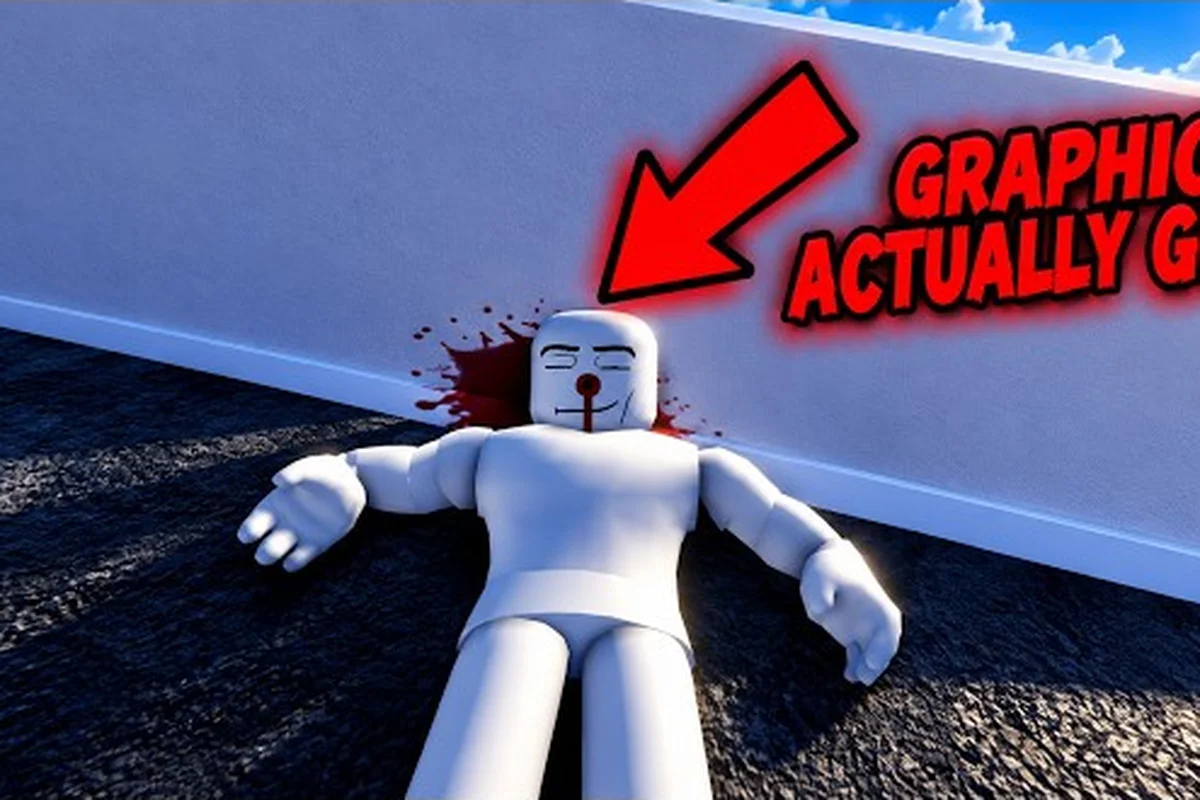
This Ragdoll Reality wiki explains the physics sandbox, targeted reactions, weapons, hazards, and graveyard modes that matter on your first visit. The key is to test where every hit lands, because limb damage changes how a dummy moves and fights back.
Wiki Overview and Core Features
Ragdoll Reality is a physics sandbox built around cause and effect. A weapon may reach the target, but the exact contact point changes the result: an arm can hang after a strike, a leg can produce a limp or crawl, and wounds can bleed. Understanding those reactions turns a ragdoll from a prop into a responsive test subject.
The official Roblox page for Ragdoll Reality describes location-based reactions, staggering, fighting back, running away, getting back up, detached limbs, and bleeding. As of October 25, 2026, the public page also listed about 9.55 million visits, 55,700 concurrent players, 34,700 favorites, and a 9,761-to-2,142 like-to-dislike ratio. Those figures can change, but they show how active the sandbox was at that point.
The game is designed for solo experimentation rather than cooperative objectives. The official listing reports a maximum of one player, with no published private-server or VIP-server option. That makes the sandbox ideal for repeating controlled tests, because another person cannot interfere with your target, timing, or setup.
| Core feature | What it adds to a session | Best use |
|---|---|---|
| Location-based damage | Contact point alters the dummy’s condition | Test precise limb strikes |
| Physical reactions | Staggering, falling, fleeing, and recovery | Observe knockback and momentum |
| Detachable limbs | Severe hits can visibly change the body | Study wound placement |
| Bleeding | Damage can leave a lasting visual effect | Compare repeated impacts |
| Playground hazards | Environmental objects can redirect the action | Test different impact types |
| Graveyard conversion | A thrown dummy can become a zombie | Experiment with infection behavior |
| Horde mode | A wave-survival activity | Practice against multiple attackers |
| 80-stud tower | A tall environmental structure | Explore height-based launches and falls |
What the physics sandbox rewards
The most useful mindset is to treat every object as part of the experiment. A thrown dummy, a dropped tool, or a struck limb produces a different kind of motion, and the result depends on angle, speed, contact area, and nearby obstacles. The sandbox does not require a fixed puzzle solution; instead, it gives you a system in which small changes can create dramatically different outcomes.
Players reported in community sessions that aiming for a specific body area often feels more informative than repeatedly using a weapon at maximum force. That matches the official feature description and is the foundation of this Ragdoll Reality tutorial: establish a clear target, watch the contact point, record the reaction, and then change only one variable.
A useful first-session checklist
-
Choose one dummy and keep it as the baseline for your first test.
-
Inspect the playground before changing weapons, since hazards can alter the fall line.
-
Use a familiar tool with controllable force to learn the response system.
-
Aim at a distinct area such as the arm, leg, torso, or head.
-
Watch the full reaction, including any limp, clutch, stagger, escape attempt, or recovery.
-
Repeat from the same distance before changing angle, force, or target location.
-
Visit the graveyard afterward to compare ordinary damage with conversion and infection.
This checklist is more efficient than wandering between every activity at once because Ragdoll Reality tests become easier to compare when each variable is isolated. For example, keep the same dummy, weapon, distance, and target while changing only the force; a stronger hit may produce a longer limp or deeper torso collapse without changing the fall direction. It also provides a clear structure for the rest of this Ragdoll Reality walkthrough, separating weapon-force testing, limb targeting, ragdoll reactions, and graveyard conversion checks so each result can be recorded without losing track of what caused it.
Impact Point Decides the Reaction
Location-based reactions are the defining system in the sandbox. A weapon connecting with the body is only the beginning: the dummy can react differently depending on where the impact occurs. The official game page specifically identifies limp or crawling behavior after leg impacts, an injured arm hanging while the dummy clutches the wound, and broader reactions such as staggering, retaliation, fleeing, and getting back up.
That makes each test a small comparison. Start with a torso hit as your control, then move to a limb. Keep distance and tool constant where possible, because changing too many variables at once makes it difficult to identify what caused the observed result.
| Target area | Documented or likely reaction to observe | Useful comparison |
|---|---|---|
| Head | Strong displacement or immediate collapse | Force versus head impact |
| Torso | Central knockback and body rotation | Control result for other hits |
| Arm | Arm may hang, with clutching behavior | Most reliable limb comparison |
| Leg | Limp, crawl, or reduced movement | Mobility after impact |
| Wounded area | Bleeding and visible injury state | Repeated-hit behavior |
| Detached limb | More extreme ragdoll physics | Severity and placement |
Reading a hit accurately
Watch three stages instead of judging only the instant of impact. First, record the contact location and the weapon’s angle. Second, observe the primary physical reaction, such as rotation, falling, or a sudden pull toward the wound. Third, note the aftermath, which may include a limp, hanging limb, bleeding, an attempt to stand, or movement away from the source.
The first-stage observation is especially important because several weapons can travel along similar lines but make contact at different points. A blade that clips an arm is not comparable to a direct arm strike, even if both use the same weapon. Likewise, a body that falls from a high hazard is not the same test as one knocked backward by a close-range impact.
Turning observation into controlled practice
Use a three-round method for cleaner results. Round one is the control: choose a torso target and record a moderate strike. Round two changes one body area, ideally an arm or leg. Round three repeats the second target from a slightly different distance. This method helps separate location effects from distance effects, and it is one of the most useful Ragdoll Reality tips for understanding the system without relying on unverified damage numbers.
For a structured introduction to the interface and available actions, use the Ragdoll Reality getting-started guide to learn how targets, reaction tests, and recording tools fit together before beginning detailed trials. For example, first select a torso target, confirm the on-screen reaction controls, and then reproduce a controlled strike while changing only one variable at a time. This helps you distinguish an actual Ragdoll Reality reaction result from differences caused by distance, target selection, or the chosen body area.
Tutorial: Weapons, Tools, and Test Zones
A sandbox becomes easier to study when each tool has a clear role. The official material emphasizes weapons that can deliver different impacts, but it does not publish a complete damage table, fixed stamina values, or guaranteed timing windows. As a result, players should treat comparisons as controlled tests rather than assuming a universal damage ranking.
Start with a weapon you can already use confidently. A basic tool is useful because it teaches contact and momentum without requiring a complicated setup. For example, a blade rewards precision because the edge can meet a narrow limb target, while a blunt impact can reveal how mass and knockback affect the whole body. These principles support the wider Ragdoll Reality all-weapons overview.
| Test variable | Keep it fixed | Change it | What to watch |
|---|---|---|---|
| Contact point | Tool and distance | Torso, arm, or leg | Limp, clutch, rotation, and recovery |
| Distance | Tool and target area | Near, middle, or far | Travel time and knockback |
| Angle | Tool and target area | Horizontal to vertical | Slide, lift, or tumble |
| Tool | Distance and target area | Blade versus blunt tool | Contact style and momentum |
| Force | Tool and target area | Gentle versus strong | Collapse severity and bleeding |
| Obstacle | Tool, angle, and target | Open ground versus hazard | Secondary collision effects |
Choosing a test environment
The main playground is useful for baseline observations because it gives you room to see the complete motion of a hit. The 80-stud tower expands that test space vertically, making it useful for studying falls, gravity, and long-range launches. If your aim is centered on weapon behavior rather than environmental interaction, begin in the open and save hazards for later comparisons.
The Ragdoll Reality Roblox guide provides a broader first-session orientation, while this wiki focuses on the reactions and repeatable tests that make the sandbox more informative. A good sequence is to learn the controls, establish one baseline strike, and only then introduce environmental objects.
Why one-variable testing matters
Suppose a machete appears more effective than a heavier object. That observation alone does not prove a damage difference; the machete may have struck an arm while the blunt tool hit the torso, or it may have been used from closer range. Change the target area while holding the weapon and distance steady, then repeat the opposite pairing. Because the physics sandbox is built around visible contact, precise observation matters more than a quick visual guess.
Community reports often emphasize that blade timing can make limb hits easier to land, while blunt tools create more noticeable displacement. Those reports are experience-based rather than published damage values, so they should guide your next test instead of serving as a numerical verdict. The machete timing and limb-strike guide provides a focused example of how that approach works.
Reading movement after damage
A successful test ends only after the target stops acting normally. Watch for movement asymmetry, such as a reduced step or a dragging limb, and for behavior changes, such as clutching an injury, moving away, or trying to rise. These details are more valuable than the initial knockback because they reveal how the location-based system continues to affect the dummy after the first collision.
Walkthrough: Playground, Graveyard, and Horde
A complete Ragdoll Reality walkthrough should move from controlled tests to the sandbox’s more experimental spaces. Start in the main playground with a dummy and a familiar weapon. Learn how the target reacts, identify one reliable striking area, and test whether the same result occurs twice. Only after that baseline should you introduce the tower, graveyard, or Horde activity.
The official page identifies a graveyard conversion mechanic: throwing a dummy into the graveyard turns it into a zombie. It also names three speed classes—slow, normal, and fast—and explains that zombies chase, pounce, and bite. A bitten dummy is described as infected and able to convert, while the Horde button begins a wave-survival mode. Exact zombie health, bite damage, and wave counts are not published, so those values should not be treated as fixed facts.
| Activity | Confirmed feature | Unknown value to avoid assuming | Practical focus |
|---|---|---|---|
| Graveyard | Thrown dummy can become a zombie | Conversion cost or cooldown | Trigger timing and behavior |
| Zombie types | Slow, normal, and fast speed classes | Precise movement values | Threat differences by class |
| Bite | Can infect a dummy | Exact bite damage | Escaping and interruption |
| Infected dummy | Can convert others | Conversion conditions | Chain reaction setup |
| Horde | Wave-survival mode | Population and wave count | Spacing, target priority, recovery |
| 80-stud tower | Vertical playground area | Exact fall calculations | Launch and landing behavior |
Graveyard Trial Run
Approach the conversion setup as a mechanics test rather than a combat test. Use the same dummy and weapon, change only how the body enters the graveyard, and observe when the conversion begins. Because a thrown dummy is the confirmed method, it provides a reproducible starting point. Watch the resulting zombie rather than immediately attacking it, and note whether its speed, pursuit pattern, or pouncing behavior differs from a regular dummy.
The graveyard also raises a useful question about priority: a limb injury may alter mobility before infection occurs, while a bite may create a different state. Establish what the dummy looks like immediately after conversion, then record any change after contact with another dummy. Without published health values, careful observation provides a more reliable account than assigning arbitrary damage numbers.
Horde Readiness Check
Horde changes the test from one target into several, so preparation matters. Keep enough distance to watch the first approach, identify whether fast zombies close space differently from slow ones, and avoid letting multiple attackers occupy the same area. The official description confirms that zombies chase, pounce, and bite, but it does not explain the wave structure in detail.
Treat the first wave as a behavior-reading exercise. Select one enemy, note how it approaches, and determine whether a direct hit alters its speed or path. If the wave overwhelms your test, retreat and repeat with a slower or more distant target. The first-hour plan can help structure a limited session so that one difficult activity does not consume the entire play period.
A repeatable session order
A reliable ragdoll reality wiki test should separate three variables each round: impact point, applied force, and body orientation. For example, record the torso’s maximum displacement at one force value, then repeat the same strike on an arm with the weapon, distance, and camera angle unchanged. This makes later ragdoll reality tutorial comparisons meaningful: a larger arc may indicate stronger physical response, while a different collapse direction can reveal how joint constraints redirect momentum. Log the force, hit location, recovery behavior, and any damage result so the session produces comparable data rather than relying on a vague impression that a reaction “felt stronger.”
-
Open playground: Test a torso hit and establish the baseline reaction.
-
Limb comparison: Try an arm hit, then a leg hit, keeping the weapon and distance steady.
-
Recovery test: Observe whether the dummy rises, retreats, or remains limited by the injury.
-
Tower test: Change only elevation or launch angle, then record the landing pattern.
-
Graveyard test: Trigger a conversion and observe the zombie before engaging.
-
Horde attempt: Enter only after you understand normal zombie movement and bite behavior.
This sequence keeps the difficult activity at the end of the session while preserving a useful record of the simpler systems. In practice, that means completing the Open playground, Limb comparison, Recovery test, and Tower test before facing the Graveyard test or Horde attempt, so a failure in the early stages can be isolated to impact force, joint constraints, or zombie conversion rather than mistaken for a general control problem. For each round, save the torso displacement, collapse direction, recovery status, and whether the dummy reached a standing position; a consistent arc, altered landing pattern, or interrupted animation can reveal whether the result came from the applied force, body orientation, or the current zombie state.
Tips for Better Sandbox Experiments
Better experiments come from organizing variables, not memorizing unsupported damage values. The official source confirms that contact location changes reactions, but it does not publish a complete numerical framework for every weapon, hazard, and zombie type. The strongest Ragdoll Reality tips therefore focus on preparation, observation, and repeatability.
Start by deciding what your test is trying to prove. If you are comparing two tools, use the same target area and approximate distance. If you are studying reactions, use one tool and vary the contact point. If you are examining the environment, keep the weapon and target consistent. This prevents the most common error: treating a multi-variable session as if it isolated one cause.
| Result to study | Best test setup | Main observation | Useful follow-up |
|---|---|---|---|
| Arm injury | Fixed weapon and distance | Hanging arm or clutching | Try the opposite arm |
| Leg impairment | Fixed weapon and distance | Limp, crawl, or altered step | Change landing surface |
| Full knockback | Torso contact | Rotation and travel | Adjust force or angle |
| Detached limb | Repeated focused impact | Direction and severity | Compare nearby areas |
| Zombie speed | Different graveyard conversions | Pursuit and pounce timing | Change engagement range |
| Horde pressure | Controlled spacing | Target switching and recovery | Reposition between bites |
Record Results in a Log
Even a brief note prevents common memory errors. Record the weapon, target area, distance, rough angle, and final reaction. Do not record damage as a precise number unless the game displays one, because the visible body state is the more dependable measure available from the official material.
A useful log entry might read: “Tool A, arm, short distance, horizontal, arm hangs; repeat gave the same result.” Another might read: “Tool B, torso, long distance, higher arc, more rotation and travel.” This format stays objective while allowing you to compare sessions later.
Account for the live sandbox
The game is popular and its player statistics can change rapidly, while physics objects and server conditions may affect how a result appears. The official listing captured roughly 55,700 concurrent players on October 25, 2026, but that number should be treated as a dated snapshot rather than a permanent measure. Likewise, a result observed once may be affected by contact timing.
Repeating a test three times is a practical quality check. If the reaction changes every time, record the variables more carefully rather than trying to force a clean conclusion. Community experience suggests that body placement and impact timing can influence the outcome, while the official page confirms only the broad location-based reaction system.
Beginner Errors Worth Skipping
-
Changing weapon, range, and target together: You will not know which variable produced the reaction.
-
Judging only the impact frame: A limp, clutch, or escape attempt may appear after the collision.
-
Treating visual severity as a damage number: The wiki should describe what happened, not invent a value the game does not show.
-
Entering Horde too early: Multiple attackers make it difficult to isolate one behavior.
-
Ignoring the 80-stud tower: Height can add a second collision and obscure the original impact.
-
Assuming conversion rules that are not published: The confirmed method is throwing a dummy into the graveyard, and published speed classes are slow, normal, and fast.
-
Ignoring the solo format: The official listing reports a one-player maximum, so plan tests around repeatable solo sessions.
Frequently Asked Questions
What is the main mechanic in Ragdoll Reality?
The central mechanic is location-based damage: a hit reacts differently depending on where it lands. Leg impacts can cause limping or crawling, while arm impacts may leave the arm hanging and prompt clutching. The dummy can also stagger, fight back, flee, recover, bleed, or lose a limb, making precise contact the foundation of useful testing.
Can you play Ragdoll Reality with other players?
As of October 25, 2026, the official Roblox listing reports a maximum of one player and does not show a private-server or VIP-server option. That makes the current release primarily a solo physics sandbox. It is still possible to share findings or recorded tests, but the listed game configuration does not provide co-op or a shared private instance.
How do zombies work in the graveyard?
Throwing a dummy into the graveyard converts it into a zombie, according to the official game page. Zombies can chase, pounce, and bite, and the published speed classes are slow, normal, and fast. A bitten dummy becomes infected and can convert. Exact health, bite damage, and conversion conditions beyond these published details are not specified.
What is the best way to test weapons in the sandbox?
Keep the target area, distance, and approximate angle constant while changing one tool, then repeat with the same tool from a different body area. Watch the entire aftermath rather than only the initial collision. This method helps distinguish contact location, momentum, and tool behavior without relying on unsupported damage numbers or official data that has not been published.
Does Ragdoll Reality have co-op or private servers?
The official page did not list a private-server or VIP-server feature as of October 25, 2026, and it listed the server maximum as one player. The game still supports a substantial solo sandbox loop with weapons, dummies, environmental hazards, zombie conversion, and Horde mode. Check the current game page if server options may have changed after the recorded snapshot.